RentCafe API vs Manual Property Listings: Which Is Better for Multifamily Websites?
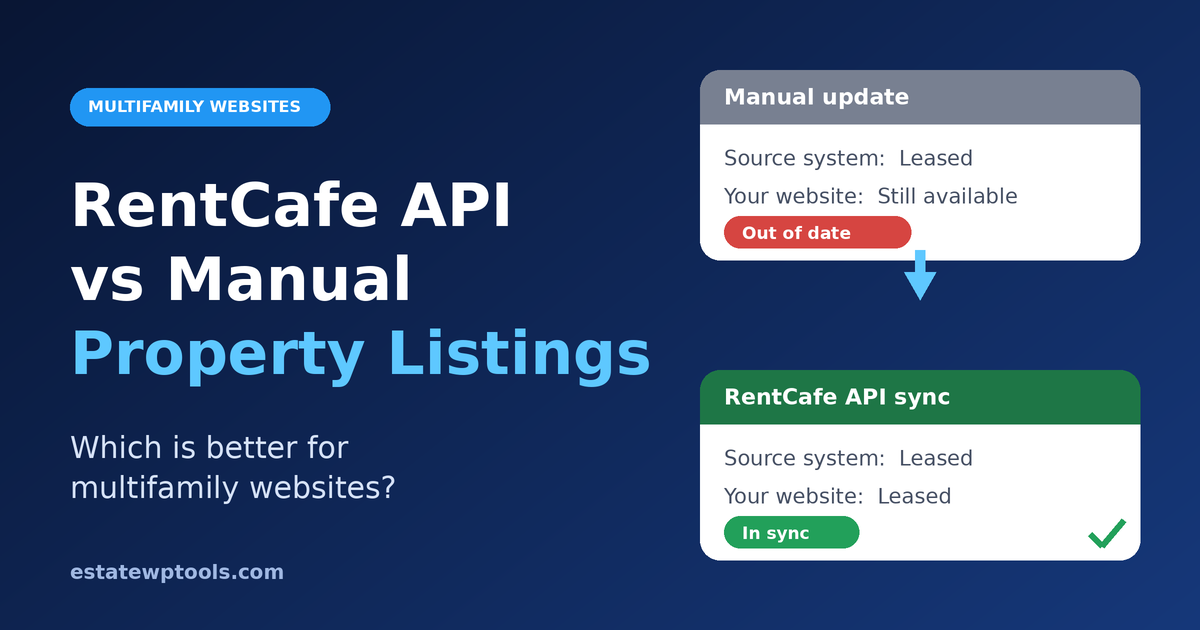
Imagine a prospect finds a two-bedroom on your website, calls the leasing office, and hears that it leased last week. Nobody made a mistake. The unit changed in your property management system, and the website never found out. That gap is the real issue behind RentCafe API vs manual property listings: not the hours spent typing, but listings that quietly drift out of date. This guide helps you decide which approach fits your multifamily website.
Short answer: If your prices or availability change weekly, an API-fed website is usually more accurate and cheaper to run than manual updates. Manual updates are fine for a small portfolio that rarely changes. A RentCafe-native website can beat both when you don’t need custom WordPress design.
What are the three ways to keep multifamily listings current?
You can update listings by hand on your own website, feed them automatically from RentCafe through an API integration, or run a RentCafe-native website hosted by Yardi. Manual means copying data from your property management software into WordPress. An API integration pulls it for you. A native site skips custom WordPress entirely.
An API (application programming interface) is a structured way for one system to send data to another. RentCafe is Yardi’s marketing and leasing platform. An ILS is an internet listing service, such as a rental marketplace.
One clarification matters. RentCafe states that listings from properties using Yardi software update automatically as managers make changes. So “manual” in this article means your own website and any channels outside that automatic flow, not RentCafe.com itself.
RentCafe API vs manual property listings: how do they compare?
API integration wins on accuracy, speed and scale, because unit availability and pricing flow from your property management software without retyping. Manual updates win on setup cost and simplicity. A RentCafe-native website is the lowest-effort automation, but it limits custom WordPress design. The right choice depends on portfolio size, how often units change and developer support.
| Manual updates | RentCafe API on WordPress | RentCafe-native website | |
|---|---|---|---|
| Accuracy | Depends on staff discipline | Follows your source data | Follows your source data |
| Ongoing staff time | High and repeating | Low once running | Low |
| Setup effort | Minimal | Highest: access, mapping, testing | Set up through Yardi |
| Design freedom | Full | Full | Limited to the platform |
| Many communities | Scales poorly | Scales well | Scales well |
| Main risk | Stale or inconsistent data | Sync failures, access approval | Less design flexibility |
| Best for | One small, stable community | Custom brands, several communities | Automation without a custom site |
What does stale listing data really cost?
Stale data costs leasing time, trust and missed tours, not just typing hours. Every wrong price or phantom unit means a disappointed call or a skipped inquiry. You can estimate your own cost without borrowed statistics by using the worksheet below, which relies only on numbers you already know.
Manual-update worksheet
- Weekly cost = units updated per week × minutes per update × places each update is entered × hourly staff cost ÷ 60.
- Places means your website, ILS listings, social posts and flyers.
- Friction count: how many “that unit is gone” calls your team handled last month.
If the weekly cost is small and the friction count is near zero, manual may be fine. If either is large, automation is worth pricing.
How does RentCafe API sync work, and what do you need?
Your website requests unit, pricing and availability data from RentCafe on a schedule, stores it temporarily and displays it on the page. Yardi controls access, so you need approved credentials before development starts. The exact credentials, fields and process depend on your account, so confirm them with your Yardi representative.
Yardi’s 2023 RentCafe APIv2 announcement added tour scheduling and kept transaction-based pricing with an annual cap. Some vendor setup guides describe separate tokens for web services and marketing data, so confirm which credentials your plan needs. Also ask early whether you can request access directly or must go through an approved vendor, and whether any fees apply.
A safe rollout follows five steps:
- Audit what changes. List which fields change weekly (price, availability) and which rarely (floor plans). This keeps the sync focused.
- Confirm access with Yardi. Building without approved credentials stalls late and costs more.
- Map your fields. Unit names and floor plan labels often differ between systems, and mismatches create duplicates.
- Cache and schedule the sync. Storing data on your server keeps pages fast and avoids calling the API on every visit, which also helps you stay within any request limits.
- Pilot one property. A single-community test exposes problems before they affect every listing.
Our RentCafe API WordPress integration guide covers the build itself.
How does listing automation affect lead capture?
Accurate listings improve lead quality because prospects see units that exist. Automation also lets tour scheduling, inquiry forms and CRM handoff work from live availability, so no one books a tour for a unit that is gone. Speed matters as well: cached data keeps pages fast, and fast pages keep visitors from leaving.
With manual updates, forms and calendars are only as current as the last edit. With an API, an inquiry can carry the exact unit and price the visitor saw into your CRM, so the leasing team follows up with context. Because APIv2 added tour scheduling, ask what your account supports before designing the booking flow. If you only do one thing, pass the unit and price into the inquiry form so your CRM record matches what the visitor saw. For broader tactics, see our real estate WordPress lead generation guide.
What goes wrong with RentCafe API sync?
Most failures are quiet: a cached price that never refreshes, a credential that stops working, or a unit that exists in one system but not the other. Plan for each before launch, and show visitors a safe fallback instead of an empty page.
| Failure | What visitors see | Fix |
|---|---|---|
| Cache never refreshes | Old prices or availability | Track the last successful sync and alert when it stalls |
| Credential problem | Missing or blank units | Alert the team; keep showing the last good data |
| Field mismatch | Duplicate or missing units | Run a mapping audit before launch |
| Slow pages | Long load times | Cache server-side; avoid live calls on page load |
| Request limits | Partial updates | Check any documented limits and batch requests |
The most common mistake is launching without monitoring. You trade visible typing errors for invisible sync errors.
When is manual enough, and when should you automate?
Manual updates are enough for one small community with slowly changing prices and a team that has spare time. Automate when you manage several properties, change pricing often or already pay staff to retype data. Choose a RentCafe-native website if you want automation without custom design.
Decision scorecard
- Stay manual if: one community, few changes, no developer available.
- Choose API on WordPress if: several communities, frequent changes, a custom brand and someone to maintain it.
- Choose a RentCafe-native site if: speed to automation matters more than design control.
When not to build a custom integration: you don’t use Yardi or RentCafe, your portfolio is small and stable, or nobody will monitor the sync. If you only do one thing, run the worksheet first.
What does this look like in Chicago and Los Angeles?
The right approach depends on portfolio shape more than city. The two scenarios below are illustrative, not client results. They show how a Chicago and a Los Angeles operator could reach different answers using the same scorecard, even though both want accurate listings.
Illustrative Chicago scenario. An operator with many small and mid-size buildings has many places where a stale price can hide. Automation removes repeated entry, and a shared field mapping keeps unit naming consistent. Likely fit: API on WordPress. See our RentCafe API integration for Chicago property management websites.
Illustrative Los Angeles scenario. An operator with a few large communities and frequent unit-mix changes cares most about availability accuracy and tour scheduling. A native site may be enough here, or a custom build if brand design matters. Likely fit: native or API, depending on brand needs.
What affects the cost and timeline?
Cost and timeline depend on access approval, the number of properties, how much custom design you need and how clean your unit data is. We don’t publish prices here because they depend on scope. Waiting for credentials can also affect the schedule. Ask for a quote based on your actual portfolio.
Useful checkpoints: credentials approved, field mapping signed off, one-property pilot live, then full rollout.
When should you hire a specialist?
Hire help when you manage multiple communities, rely on accurate availability for tours and leads, or lack in-house developers to maintain the sync. A specialist handles access, mapping, caching and monitoring so listings stay right. If your portfolio is small and stable, doing it yourself is reasonable.
Frequently asked questions
Is the RentCafe API better than manual property listing updates?
For most multifamily portfolios with frequent price or availability changes, yes. An API integration keeps your website aligned with your source data and removes repeated typing. Manual updates can still work for one small community that rarely changes. The deciding factors are portfolio size, update frequency and who will maintain the sync.
Do RentCafe listings update automatically?
RentCafe states that listings from properties using Yardi software update automatically as property managers make changes. That applies to RentCafe’s own listings. Your separate WordPress website will only update automatically if it is connected to your data through an integration, or if you use a RentCafe-native website.
Do I need Yardi to use the RentCafe API?
The integration reads data from RentCafe, so you need RentCafe in your technology stack and approved access from Yardi. The exact access process and credentials depend on your account. Confirm them with your Yardi representative before planning development, because missing credentials are a common reason projects stall.
What is the difference between a RentCafe API integration and a RentCafe website?
A RentCafe website is a property site set up through Yardi that draws on your RentCafe data. A RentCafe API integration feeds that data into a website you control, such as a custom WordPress site. The first is simpler to start. The second gives you full control over design and content.
How often should apartment listing data sync?
Match the sync to how fast your data changes. Pricing and availability usually matter most, so they need more frequent refreshes than floor plans or amenities. Confirm any documented request limits first, then cache data on your server and monitor the last successful sync so stale information never goes unnoticed.
Can WordPress display live apartment availability from RentCafe?
Yes, through a custom API integration or a compatible plugin, provided you have approved access to your RentCafe data. WordPress stores or caches the data and shows it on unit and floor plan pages. Plan for caching, monitoring and a fallback so visitors never see blank or outdated listings.
How long does a RentCafe API integration take?
It depends on access approval, the number of properties, field mapping and how much custom design is needed. Waiting for credentials can affect the schedule. A one-property pilot is a sensible first milestone, because it exposes mapping and sync problems before you roll the integration out to the whole portfolio.
Is apartment listing automation worth it for a small portfolio?
Not always. If you manage one community whose prices rarely change, manual updates may cost less than building an integration. Use the weekly-cost worksheet in this guide with your own numbers. If the cost and the number of stale-listing calls are both low, stay manual and revisit as you grow.
Key takeaways
- “Manual” means your own website. RentCafe’s listings for Yardi properties update automatically.
- API integration wins for several communities and frequent changes.
- Manual works for one small, stable community.
- A RentCafe-native site is the lowest-effort option if custom design isn’t needed.
- Plan caching, monitoring and fallbacks before launch.
- Confirm credentials with Yardi first.