How to Integrate RentCafe API with a WordPress Real Estate Website
If you run apartment communities in Chicago or Los Angeles, you've probably lived this moment. A prospect calls about a floor plan they saw on your website, and it's already leased. Or the price on the page is off by a couple hundred dollars. That's rarely a marketing problem. It's a data problem, and it's exactly what a proper RentCafe API WordPress integration is built to fix.
This guide explains how the integration actually works, whether a plugin or a custom build makes more sense, the steps involved, and the mistakes that quietly cost you leads. It's written for property managers and marketing teams, not only developers, so you can make the decision with real information.
Want a second opinion on your current setup? Book a demo any time.
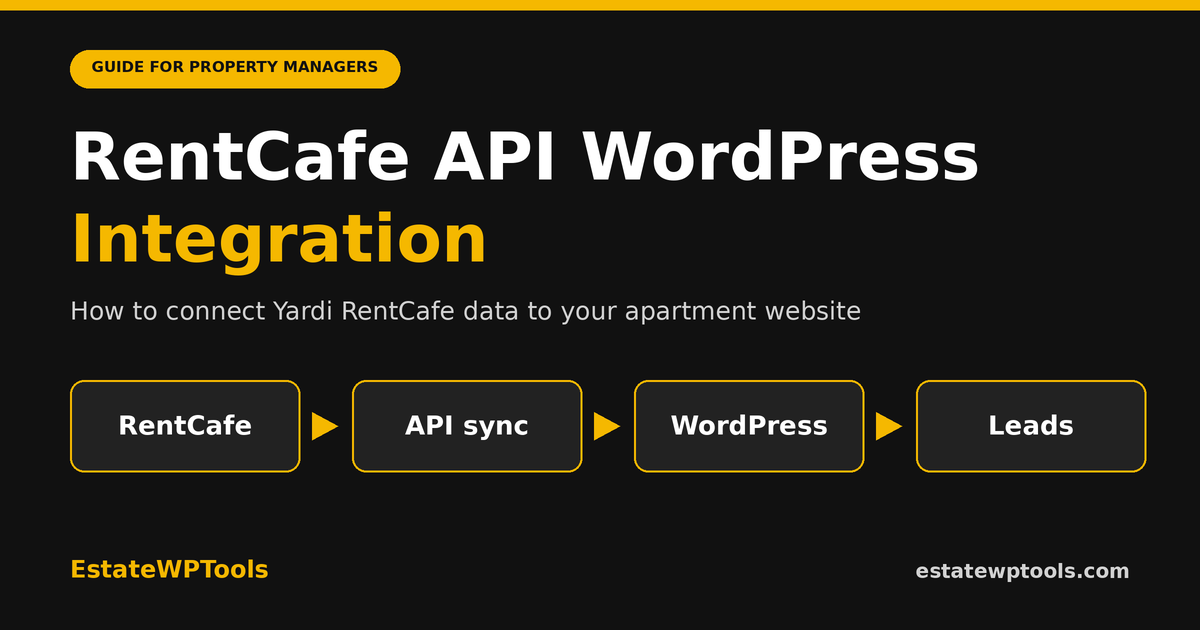
Quick answer: A RentCafe API WordPress integration connects your Yardi RentCafe data (floor plans, unit availability, pricing, plus lead and tour tools) to your WordPress site, so the website updates itself instead of relying on manual edits. You get credentials through Yardi, then use a plugin or a custom build to sync the data, show it on floor plan pages, and send inquiries back into your leasing workflow.
What is a RentCafe API WordPress integration?
A RentCafe API WordPress integration is a connection that pulls data from Yardi's RentCafe, such as floor plans, unit availability and pricing, into your WordPress website automatically. Instead of editing rents by hand, your site reads the same information your leasing team uses, so what prospects see matches what is actually available.
Think of the API as a messenger. RentCafe holds the data, WordPress is the storefront, and the integration carries information between them. One thing to know early: RentCafe access is not a public sign-up-and-start program. Credentials are typically issued through Yardi or your RentCafe representative, which is why this step often decides your whole timeline.
Why does RentCafe website development matter for lead generation?
Renters shop fast, mostly on their phones, and they compare several communities in one sitting. If your floor plan page shows real availability and current pricing, they can qualify themselves in seconds. If it shows stale numbers, they leave, and they rarely come back to tell you why.
Live data also gives you more to rank for. Every floor plan, unit type and neighborhood can become its own page that answers a real search. We cover the lead side in more detail in our guide on how real estate WordPress websites generate quality leads, but the short version is simple: accurate pages convert better than pretty ones that are out of date.
Should you use a plugin or a custom RentCafe integration?
Use a plugin if you have one property or a small portfolio and want to launch quickly. Choose a custom integration if you need a unique design, multi-property search, neighborhood pages, detailed lead tracking or CRM routing. Many teams start with a plugin and move to custom once its limits show up.
| Factor | Plugin | Custom integration |
|---|---|---|
| Launch speed | Faster once credentials are ready | Slower, includes design and testing |
| Design freedom | Limited to the plugin's templates and hooks | Built around your brand and layout |
| Multi-property search | Depends on the plugin | Fully planned to your needs |
| Lead and CRM handling | Basic, varies by plugin | Tailored forms, tracking and routing |
| Ongoing upkeep | Plugin updates and licenses | Maintenance plan with your developer |
Plugins such as Rent Fetch and RentPress are built to display RentCafe pricing and availability inside WordPress, and some of their sync features are paid add-ons. They're a sensible start. If you want to compare options, see our overview of real estate WordPress plugins.
Not sure which route fits your property? We'll look at your current site and RentCafe setup and tell you honestly. Book a demo or Get a quote.
How does RentCafe API WordPress integration work, step by step?
The process has seven parts: confirm API access with Yardi, collect your credentials and property codes, choose a plugin or custom build, connect and sync the data, design the floor plan and unit pages, connect tour and inquiry forms, then test everything before launch.
- Confirm access with Yardi. Ask your RentCafe representative what API access your account includes. Do this first, because waiting on credentials is the most common delay.
- Collect your credentials. Integrations commonly need items such as an API token, a company code and property codes or IDs. Your Yardi contact can confirm exactly what your setup requires.
- Pick your approach. Decide between a plugin and a custom build using the comparison above. Be honest about how much design control you really need.
- Connect and sync. Store the credentials securely on the server, never in public page code. Most sites sync on a schedule and save the results in WordPress, so pages load fast and don't depend on a live call every time.
- Build the pages. Create property, floor plan and unit templates that show beds, baths, square footage, pricing and availability. Add clear calls to action on every one.
- Connect leads and tours. Link inquiry and tour-scheduling forms so leads reach your CRM or leasing team without copy and paste.
- Test before launch. Check prices against RentCafe, test every form, try mobile, and confirm the sync keeps running.
One practical note on steps four and seven, because they're where good projects go sideways. Sync problems rarely show up on launch day. They show up three weeks later, when a unit leases and the website still advertises it. Ask whoever builds your site how failed syncs are detected, who gets alerted, and what the page shows when RentCafe data is temporarily unavailable. A site that quietly displays old numbers is worse than one that says "call for availability." Also confirm who owns the setup afterward, so your team isn't locked out of its own website.
What should the integration actually do for your leads?
Showing data is only half the job. A good integration should make the next step obvious. A visitor who finds a two-bedroom they like should be able to schedule a tour or send an inquiry in a few taps, and that lead should land where your team already works.
Ask these questions of any build: Does availability update without anyone touching the site? Does every floor plan page have a visible call to action? Can you tell which page produced each lead? If the answer to any of these is no, the site is displaying data but not generating business.
What does this look like in Chicago and Los Angeles?
The technology is the same, but the pages you build around it differ by market. In Chicago, renters often search by neighborhood, so location pages for areas like River North, Lincoln Park or the West Loop can pair neighborhood content with live floor plans. Leasing activity can also swing by season, which makes fresh availability even more important when demand picks up.
In Los Angeles, the same floor plan can matter very differently depending on parking, pets and commute. Pages that surface those details next to live pricing help visitors self-qualify. For Chicago communities, our service page on RentCafe website development for Chicago property management sites shows how we approach it.
What mistakes break a RentCafe integration?
- Starting design before access is confirmed. You can lose weeks if credentials arrive late.
- Syncing too rarely. Pricing that is days old defeats the purpose.
- Calling the API on every page view. It slows the site and can hit limits. Cache the data instead.
- Exposing credentials. Tokens belong on the server, not in front-end code.
- Scraping instead of integrating. Copying data from public listing pages is fragile and not a real integration. Use authorized access.
- Skipping lead testing. A broken form quietly costs more than a slow page.
What affects the cost and timeline?
Four things drive it: how quickly Yardi issues credentials, how many properties you have, how custom the design is, and how much lead and CRM logic you want. A plugin setup can move quickly once access is ready. A custom build adds design, development and testing, so it takes longer by nature. When you ask for a quote, make sure the timeline includes the credential step, or the estimate will be optimistic.
When should you hire a specialist?
If you have several properties, strict brand standards, or leads that need to flow into a CRM, doing this alone gets expensive fast. A specialist saves time on the parts that go wrong quietly: sync schedules, security, speed and form routing. You'll also want a WordPress build your team can edit later, not a black box. Our guide to the best WordPress tools for real estate websites is a good place to see how the pieces fit together.
Frequently asked questions
Does RentCafe have an API for WordPress websites?
RentCafe offers APIs that approved partners and clients can use to pull data such as pricing, availability, floor plans, leads and tours. Access is not self-serve and is typically arranged through Yardi or your RentCafe representative. Once credentials are issued, a WordPress site can sync that data through a plugin or custom code.
Can I connect RentCafe to WordPress without coding?
Often yes. Plugins such as Rent Fetch and RentPress are built to display floor plans, pricing and availability from RentCafe data, though some sync features are paid. You still need valid Yardi credentials and some setup. For a fully custom layout or deeper CRM connection, custom development is usually the better route.
What credentials do I need for a RentCafe API WordPress integration?
Requirements vary by setup, but integrations commonly need items such as an API token, a company code and property codes or IDs, and sometimes a marketing API key for features like tour scheduling. Your Yardi or RentCafe representative can confirm what your account needs. Keep credentials on the server, never in public page code.
How often should RentCafe data sync with my WordPress site?
Most apartment sites sync pricing and availability on a schedule, often every few hours to daily, and cache the results so pages load fast. The right interval depends on how quickly your units turn over and what your plugin or hosting allows. Pricing and availability should never sit stale for days.
Is a plugin or a custom integration better?
Use a plugin when you have a standard single-property or small portfolio site and want to launch quickly. Choose custom development when you need unique design, multi-property search, neighborhood pages, advanced lead tracking or CRM routing. Many teams start with a plugin and move to custom once its limits appear.
Will a RentCafe integration improve my SEO?
Indirectly, yes. Fresh, accurate floor plan and availability content gives visitors a reason to stay and inquire, and structured pages for each floor plan or neighborhood give search engines more to index. The integration alone won't rank a site, though. You still need strong page content, fast loading and local SEO.
How long does it take to integrate RentCafe with WordPress?
It depends mostly on how long Yardi takes to issue credentials and how custom the design is. A plugin setup can be quick once access is ready, while a custom build needs design, development, testing and lead-form checks. Ask your developer for a timeline that includes the credential step.
Key takeaways
- A RentCafe API WordPress integration keeps floor plans, pricing and availability on your site current without manual edits.
- Access comes through Yardi, so confirm credentials before you plan design or launch dates.
- Plugins suit simple sites. Custom builds suit multi-property, high-design or CRM-heavy setups.
- Cache and sync on a schedule, protect credentials, and test every form before launch.
- The goal is leads, so every floor plan page needs a clear next step.
Ready to turn your RentCafe data into tours and inquiries? Tell us about your property and we'll walk you through the options. Book a demo or Get a quote.